GitHub Importer Guide#
This guide describes how to use and configure the GitHub importer in InvenioRDM.
The GitHub importer allows users to create a new draft record in InvenioRDM from a GitHub release.
User Guide#
What the GitHub Importer Does#
The GitHub importer:
- imports metadata from a GitHub release
- creates a new draft in InvenioRDM
- pre-fills the draft metadata
- optionally imports release assets and repository information
The importer does not immediately publish the record. After import, the user is redirected to the draft page, where the metadata can be reviewed and edited before publication.
Where to Find the Importer#
-
Log in to InvenioRDM.
-
Open the user dashboard.
-
Go to:
-
My dashboard (Records should be the default open tab)
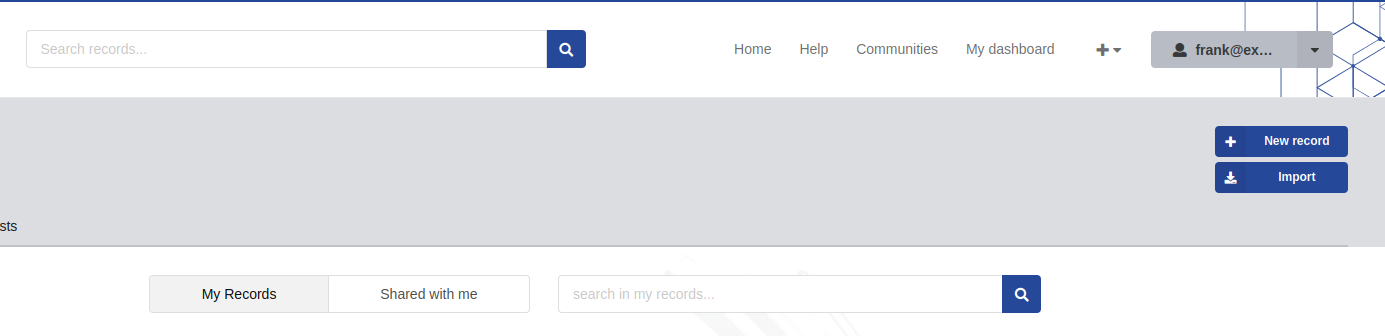 4. Click the Import button.
-
Select:
-
GitHub Release
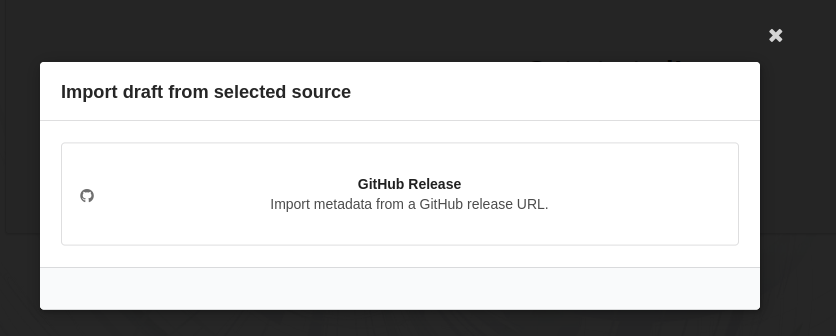
Importing a GitHub Release#
The GitHub importer requires the URL of a GitHub release.
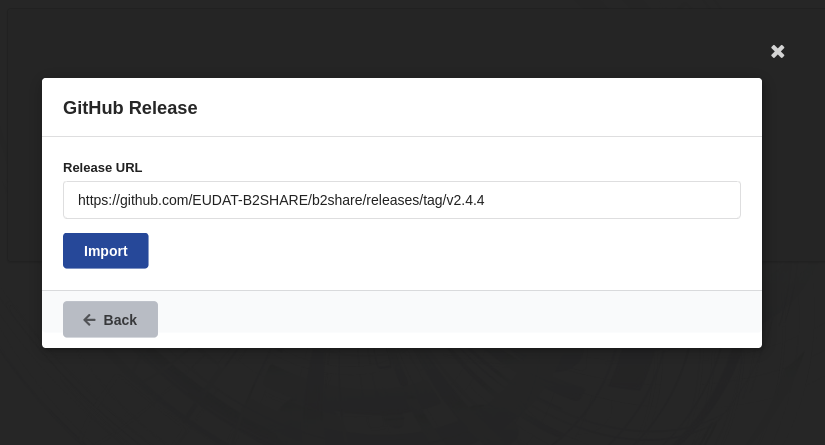
Example:
https://github.com/owner/repository/releases/tag/v1.0.0
Steps#
- Open the Import dialog.
- Select GitHub Release.
- Paste the release URL.
- Click Import.
If the import succeeds:
- a new draft is created
- the release metadata is copied into the draft
- the user is redirected to the draft edit page
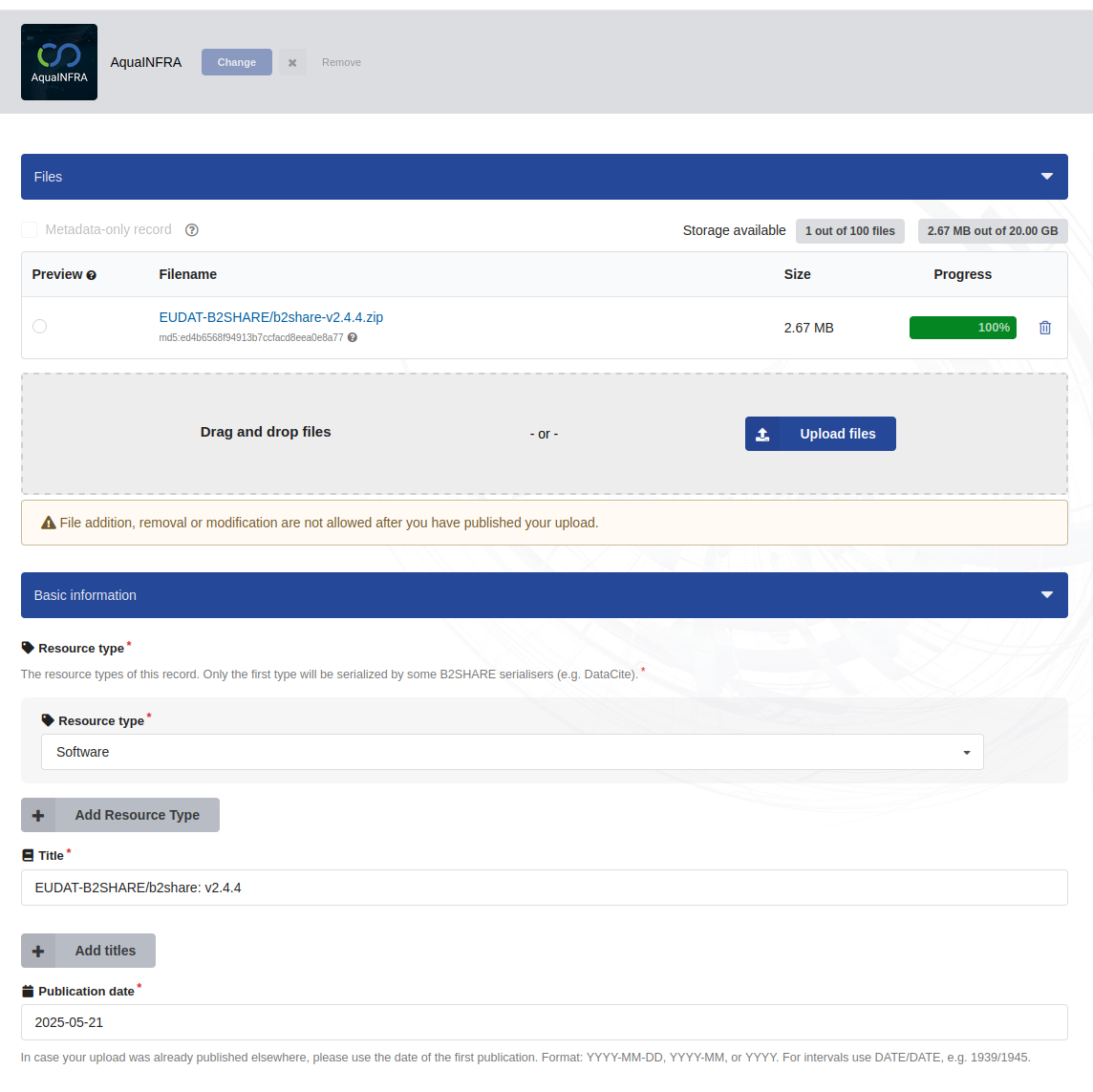
5. Then select the community and fill in the missing info#
Supported URL Format#
The importer currently supports GitHub release URLs in the following format:
https://github.com/<owner>/<repository>/releases/tag/<tag>
Example:
https://github.com/inveniosoftware/invenio-rdm-records/releases/tag/v12.0.0
What Information Is Imported#
Depending on the release and repository contents, the importer may populate:
- title
- description
- publication date
- creators
- keywords
- software version
- repository URL
- release URL
- release assets
- license
The imported values can still be edited before publication.
Common Errors#
“Release URL is required”#
The release URL field is empty.
Solution:
- provide a valid GitHub release URL
“Invalid GitHub release URL”#
The URL does not match the expected GitHub release pattern.
Solution:
- make sure the URL points to a specific GitHub release page
“Release not found”#
The GitHub release does not exist or is not publicly accessible.
Solution:
- verify that the repository and release tag exist
- ensure the repository is public or accessible
“Import failed”#
The importer could not create the draft.
Possible causes:
- invalid metadata returned by GitHub
- missing required fields
- temporary GitHub API failure
Try again later or create the draft manually.
Last update : 13.04.2026
Last review : 13.04.2026