Curators#
Curators review instrument submissions and maintain the quality of records in a B2INST community. They can view restricted community records, handle review requests and edit records associated with the community. Managers, Admins and Owners also have these curation permissions.
Review a submission#
- Sign in, open the community, and select Requests. Find the submitted request and open it.
- Read the Conversation and open the Record tab to inspect the instrument metadata and any attachments.
- Check the record against the community’s curation policy: instrument identity, description, manufacturer, model, instrument owner, identifiers, access settings and any required community-specific metadata. Inspect the community fields explicitly, including records submitted through the API.
- Use Comment in the conversation to ask questions or explain corrections. A comment alone does not accept or decline the request.
- When a draft is ready, choose Accept and publish and confirm. Use Decline when the submission cannot be accepted, and explain the reason in the optional comment.
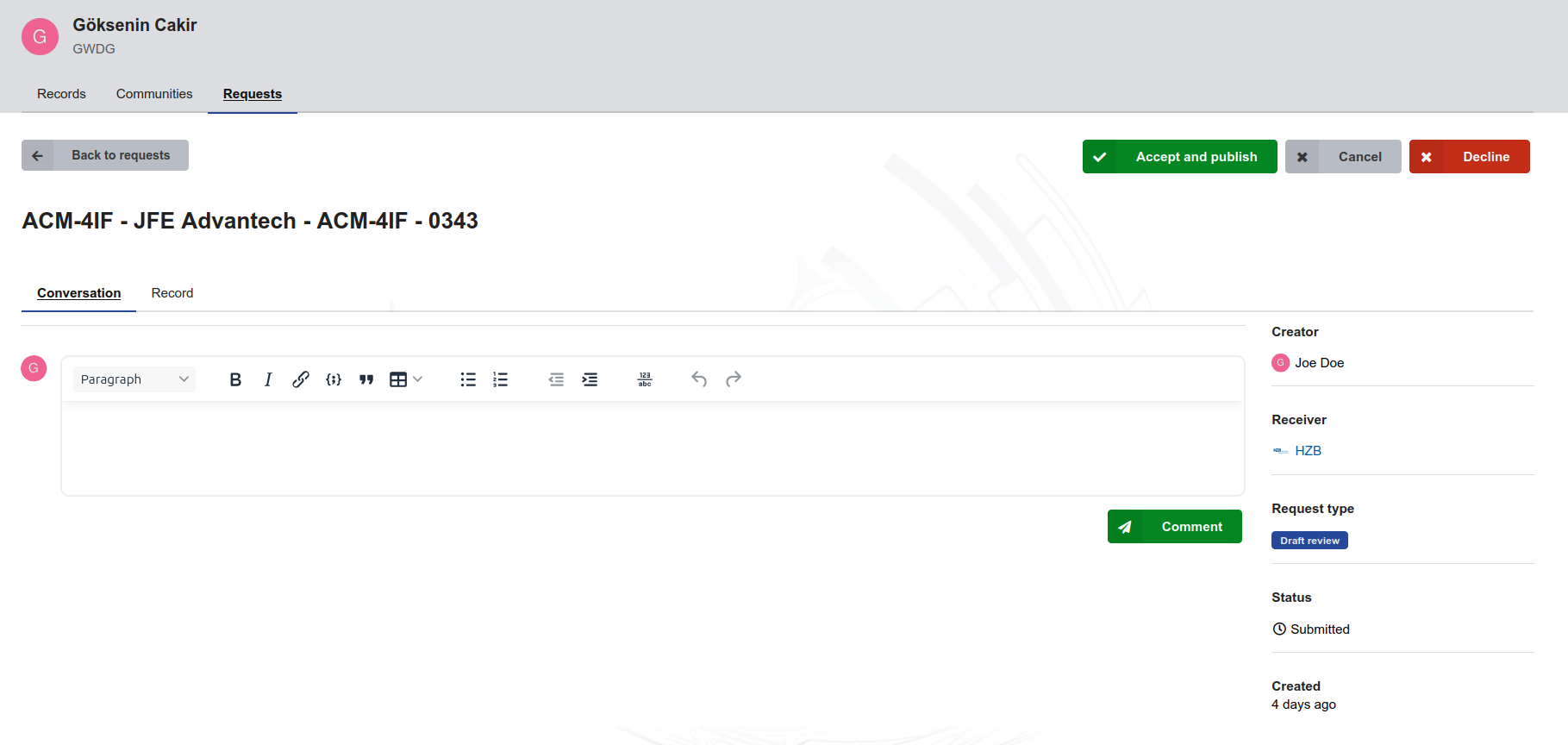
Reviewing an instrument draft with Submitted status. The reviewer can inspect the record, discuss it in the conversation, and accept it for publication or decline it.
Acceptance has different effects depending on the request:
| Request | Effect of acceptance |
|---|---|
| A draft submitted for community review | Publishes the draft and associates the record with the community. |
| An already published record proposed for community inclusion | Adds the community association to the existing record; it does not create another publication or mint a new Handle. |
The submitter remains the record’s owner. Community association gives authorized community roles curation access; it does not make the community a second user owner or create a duplicate instrument record. A restricted community cannot accept a record whose metadata is public; resolve the access settings before acceptance.
Correct metadata during review#
For a draft under review, open its Record tab and select Edit to open the record form. Make the agreed changes and select Save draft. Return to the request, check the updated record, and use Accept and publish when the review is complete. While the review is open, finish publication through the request’s acceptance action.
Discuss substantive changes with the submitter in the conversation. Saving a correction does not itself accept the request or publish the record. The current B2INST draft permissions allow the submission’s reviewers to update the draft during review.
Curate published records#
Once a record belongs to the community, Curators can use Edit to correct its metadata. Follow editing a published record to save and publish the edit. This retains the record ID and Handle; creating a new version is a separate action. Publishing the correction requires publication permission and does not automatically start another community review.
Curators do not manage community membership or settings. Refer membership changes to a Manager and policy changes to an Admin or Owner. See publication through review for request states and the community overview for the role comparison.
Last update: 06.10.2026
Last review : 06.10.2026