RO-Crate Importer — User Guide#
The RO-Crate importer creates a new draft record from an ro-crate-metadata.json file.
It reads the metadata, maps it into B2SHARE fields, and opens the draft for review.
The record is not published automatically — you review and submit it yourself.
Where to find the importer#
- Log in to B2SHARE.
- Go to My dashboard.
- Click the Import button.
- Select RO-Crate from the list of import sources.
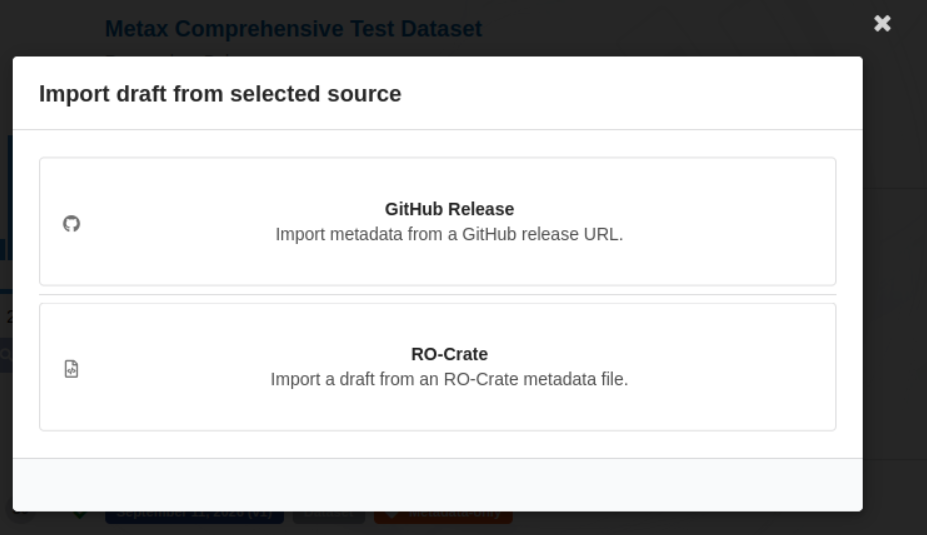
Importing a file#
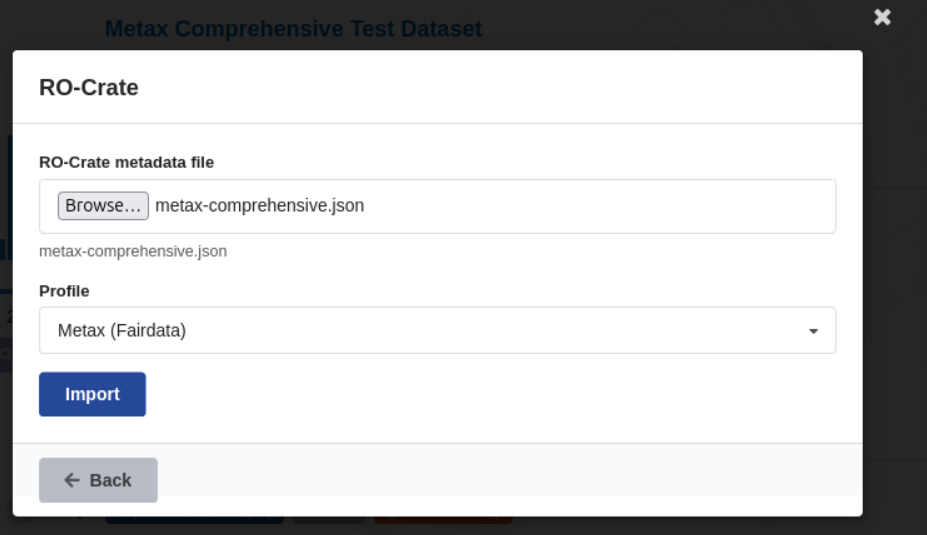
- Click Choose file and select your
ro-crate-metadata.json. - Choose a Profile:
| Profile | Use when |
|---|---|
| Default | Generic RO-Crate files (any source) |
| Metax (Fairdata) | RO-Crates exported from the Finnish Fairdata Metax catalogue |
- Click Import.
If the import succeeds without issues, you are redirected to the new draft.
Warnings screen#
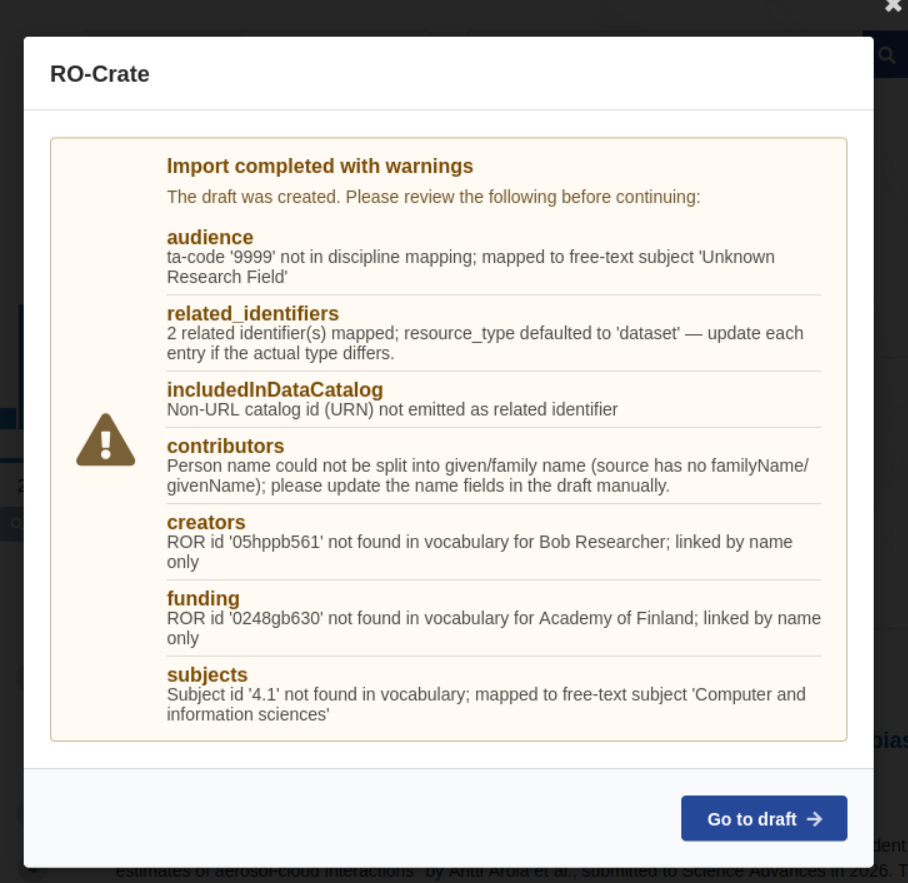
If some metadata could not be fully mapped, the importer shows a warnings screen instead of redirecting immediately. The draft has still been created.
Each warning lists the affected field and the reason it could not be filled automatically. Common causes:
- An organisation or funder identifier (ROR ID) was not found in the vocabulary — the name is kept but the identifier link is removed.
- A file URL points to a domain not on the allowed list — the file is skipped.
- A required field (title, date, creator) was missing from the RO-Crate — a placeholder value was inserted.
Click Go to draft to open the draft and correct the flagged fields before publishing.
What gets imported#
| RO-Crate field | B2SHARE field |
|---|---|
name |
Title |
datePublished |
Publication date |
author |
Creators |
license |
Rights / license |
description |
Description |
keywords |
Subjects |
publisher |
Publisher |
inLanguage |
Languages |
funder |
Funding |
identifier, url |
Related identifiers |
@type |
Resource type |
version |
Version |
temporalCoverage |
Temporal coverage |
All imported values can be edited on the draft page before publication.
Files referenced in the RO-Crate#
If the RO-Crate lists data files by URL, the importer attempts to attach them as remote files. This requires:
- the remote files feature to be enabled on this instance;
- the file domain to be on the administrator’s allowed-domains list.
Files from domains not on the list are skipped and reported in the warnings screen.
Limitations#
- Only
ro-crate-metadata.jsonfiles are accepted (.jsonor.jsonld). - The importer creates one draft per import run; it does not update existing records.
- After publication, file links cannot be edited — contact the administrator if a URL must be changed.
Last update: 2026-11-06
Last review: 2026-11-06