Requesting a B2INST community#
A B2INST community groups instrument records and the people responsible for maintaining and reviewing them. Ordinary users cannot create communities. Ask the B2INST team to create one through the EUDAT support request form for B2INST.
Prepare your request#
Include enough information for the team to configure the community:
- The proposed community name, a short description and the organization or project it represents.
- A preferred identifier for its URL, for example
instrument-facilityinhttps://b2inst.gwdg.de/communities/instrument-facility. Choose a short, stable value; the team must check that it is available. - The contact person and B2INST accounts that should receive community administration or curation roles.
- Whether the community should be Public or Restricted.
- Who should be allowed to submit instrument records, who should review them, and whether any members should be allowed to publish without review.
- A website, logo and About-page or curation-policy text, if available.
- Any instrument metadata requirements beyond the standard B2INST fields, ideally with an example record. See Metadata schema extensions.
Create or sign in to your B2INST account before arranging membership so that the team can invite the correct account.
Creation and handover#
The B2INST service administrator creates the community through the New community form. This form is available to service administrators; not seeing it in an ordinary account is expected. A signed-in administrator who creates a community is automatically added as its first Owner.
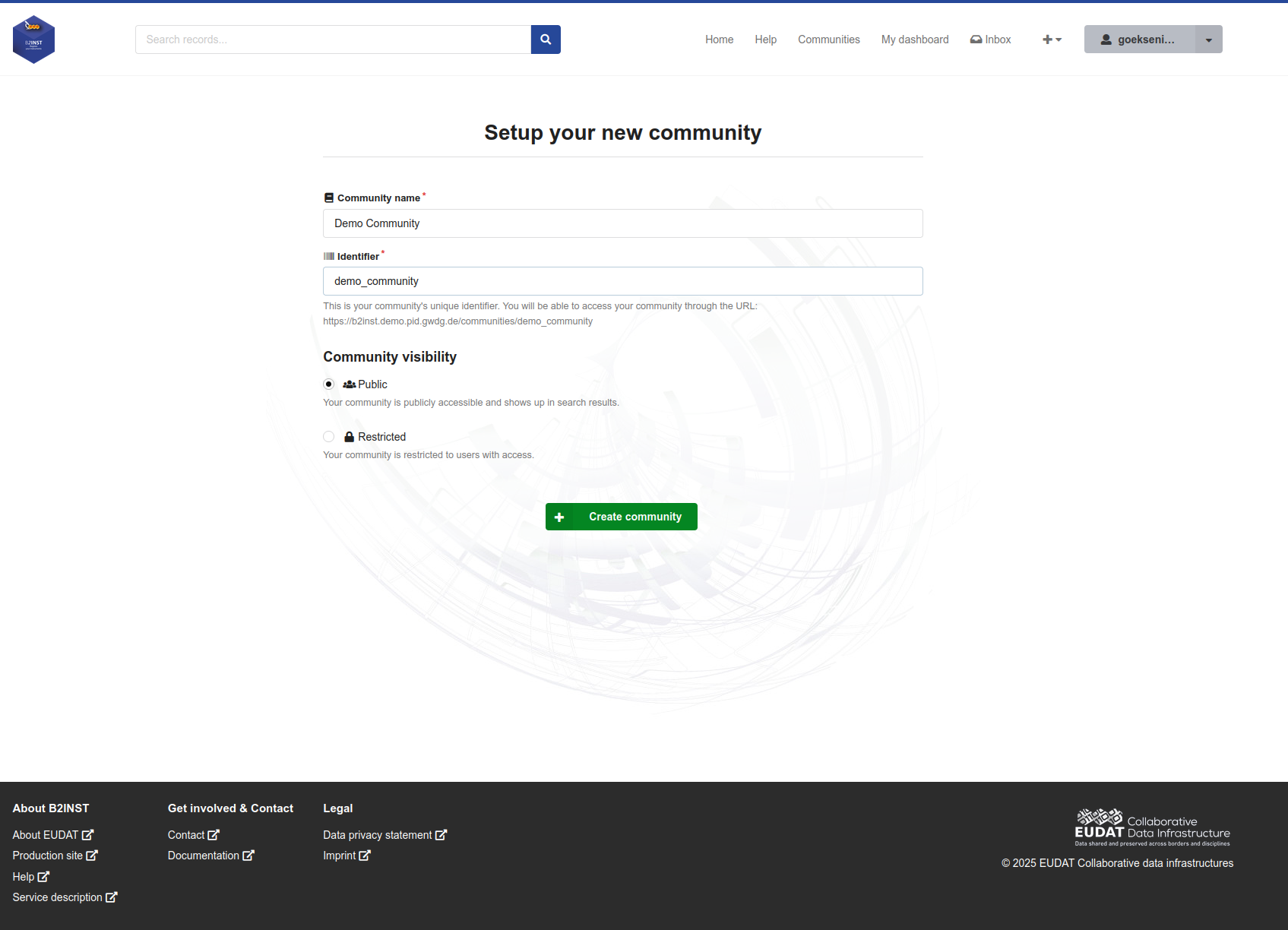
The service administrator enters the initial name, identifier and visibility. This existing B2INST demonstration screenshot contains an example community and demonstration URL; use the community address supplied by the B2INST team.
After creation, the Owner can invite the people who will run the community and assign appropriate roles. Invited users must accept their invitations to become active members.
| Role | Typical responsibility |
|---|---|
| Curator | Reviews and curates instrument records. |
| Manager | Manages members up to the Manager role and curates records. |
| Admin | Manages members up to the Admin role, curates records and changes the community’s profile, policies and pages. |
| Owner | Has full community administration, including assigning Owners, changing the identifier and deleting the community. |
The community’s Owner role is distinct from B2INST service administration. An Owner can delegate Owner access; identifier changes and deletion are not permanently restricted to the person who created the community. Grant that role only to people who need those responsibilities. See Community administrators and Managing members.
Before inviting submitters#
Check the community profile, access and submission policies with the B2INST team. Add clear instrument submission instructions and agree on any metadata extensions before asking users to register instruments. A public community can still require membership to submit or curator review before publication.
Use Community settings for policy choices and Creating and managing a B2INST community for the illustrated setup workflow. The communities overview explains how communities fit into instrument registration.
Last update : 04.10.2026
Last review : 04.10.2026