Admins and Owners#
An Admin configures a B2INST community and also has the curation and membership management capabilities of a Manager. This is a role within one community. A B2INST service administrator administers the service as a whole and is a separate role.
Maintain community settings#
Sign in, open the community, and select Manage community > Settings. Use the appropriate settings page and save your changes:
| Page | What an Admin can maintain |
|---|---|
| Profile | Community name, short description, type, website, organizations and profile picture. |
| Privileges | Community visibility, membership-list visibility and the policy for access to restricted records and files. |
| Submission policy | Who may submit records and which eligible submitters may publish without review. |
| Pages | The detailed About page and curation policy. |
The community’s picture has a separate upload control. See community settings for the fields and policy choices, and the illustrated setup guide for the complete sequence.
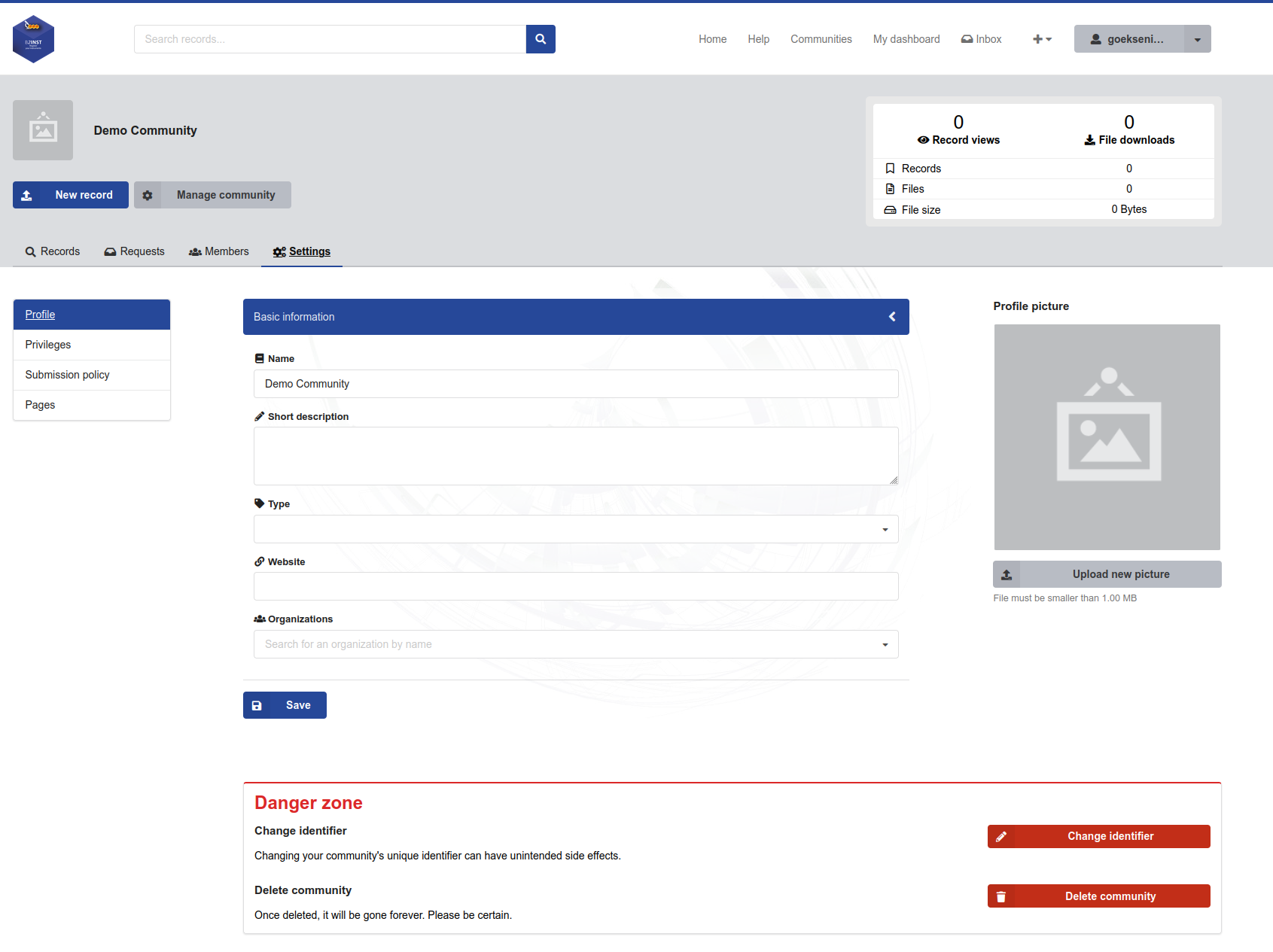
B2INST demonstration captured with Owner permissions. Admins can maintain the normal profile fields and picture. The change-identifier and deletion actions in the danger zone belong to the Owner role. The community name is an example value.
Review submission policies together with the community’s curation team. Allowing direct publication changes which records reach reviewers before publication; an Open submission policy alone does not disable review. Community visibility and record visibility are also separate settings.
Manage the team and its records#
Admins can invite and manage Members, Curators, Managers and other Admins. They cannot assign or manage the Owner role. Follow the Manager workflow for invitations, role changes and removal, using the additional Admin role where appropriate.
Admins can also review submissions and curate records. Community association provides this access; it does not transfer a submitter’s record ownership to the community. Use the published-record editing workflow for metadata corrections that should retain the record’s Handle.
Actions reserved for Owners#
An Owner has the community’s full administrative permissions, including:
- assigning and managing all community roles, including other Owners;
- changing the community’s unique identifier;
- deleting the community.
Changing the identifier changes the community URL, so update links and integrations that use it. Review deletion with the B2INST service team before using the deletion workflow. A community must retain at least one Owner, and no member can change their own role.
Community creation is restricted to B2INST service administrators. An Admin or Owner of an existing community does not gain permission to create further communities from that community role alone. See the community overview for how to request a community and compare roles.
Last update : 04.10.2026
Last review : 04.10.2026